Academy trust CAFM: run every school's estate from one system
CAFM, computer-aided facilities management, is the software category that runs buildings: fault reporting, work orders, planned maintenance, compliance evidence, contractors and assets.
For a single school it is useful. For a multi-academy trust it is close to unavoidable, because the alternative is each school running its own version of chaos while the trust carries the legal accountability for all of it. This guide covers what CAFM means at trust scale, the split that matters, central visibility with per-school accountability, and the questions to ask any vendor, including us.
The trap: single-school tools, stapled together
Most trusts don't choose their estates arrangements; they inherit them, one school at a time. Each converting or joining school brings its own habits: a paper day book at one site, a spreadsheet at another, an ageing helpdesk product at a third. The trust's first instinct is often a termly reporting template, which turns every site manager into a data-entry clerk and the estates lead into an editor of nine differently-wrong spreadsheets.
The accountability, meanwhile, keeps tightening. The Academy Trust Handbook's estates guidance asks boards to oversee strategic estate planning and health-and-safety compliance across the estate, and from autumn 2026 every responsible body completes an annual self-assessment return against the DfE's School Estate Management Standards. A trust cannot answer for nine schools from nine different filing systems: the wider requirements are covered in our guide to estates management software for schools.
Trust-grade CAFM inverts the reporting template. Each school runs its own live workload (its faults, its jobs, its planned maintenance, its site team) and the trust view assembles itself from the same records, in real time. Nobody compiles anything. One version of reality, two altitudes.
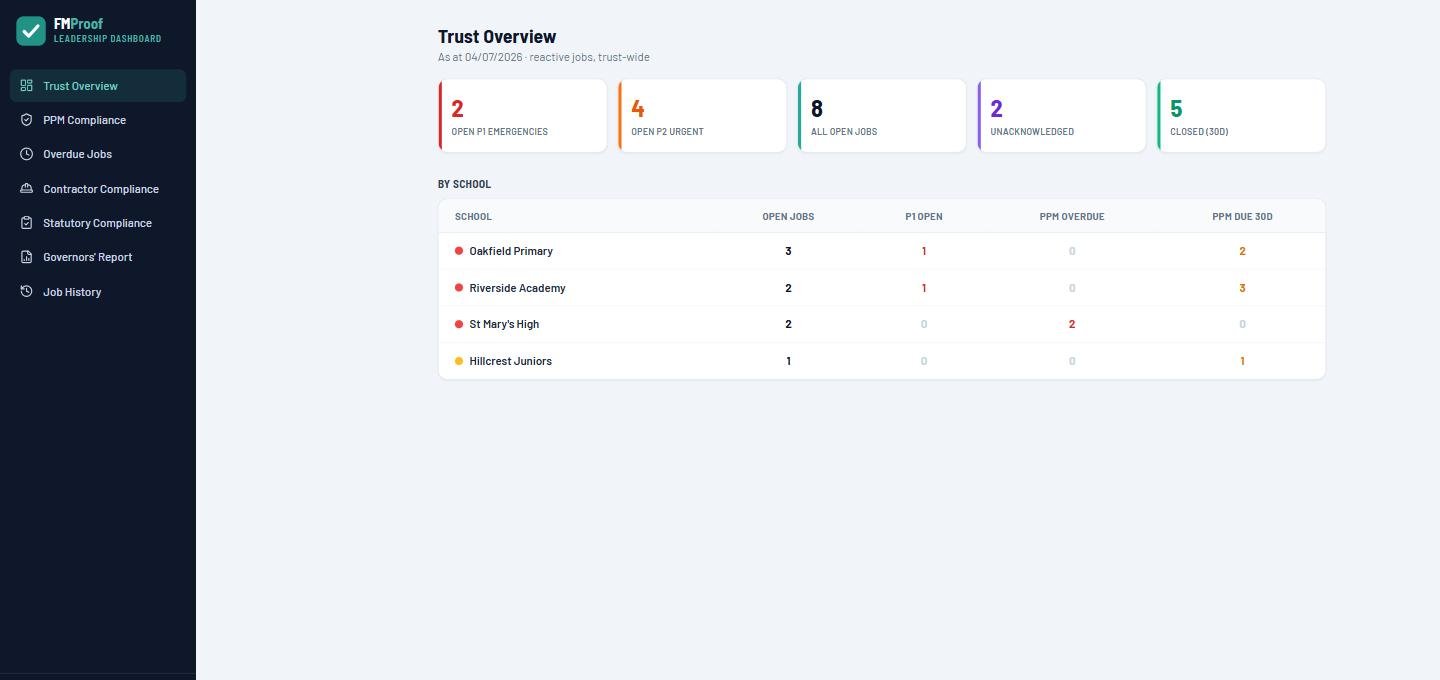
Central visibility, per-school accountability: what that means in the software
Every trust-CAFM decision comes back to the same split: the centre needs to see everything without doing everyone's job, and each school needs to own its workload without inventing its own system. Feature lists obscure this; the table below is the actual requirement.
| The trust needs | The system must therefore do |
|---|---|
| Board-level assurance across every school | A live trust dashboard: open jobs, P1s, overdue PPM and compliance status per school on one screen |
| Each school owning its own workload | Per-school queues, site teams and priorities: the centre sees everything without doing everyone's job |
| Comparable data between schools | The same categories, priorities and statuses everywhere: set once at trust level, not invented per site |
| Governors and trustees informed, without logins to manage | A governors' report compiled from live data; external members join as secure Microsoft guests |
| Contractors working across several schools | One contractor record (insurance, DBS, accreditations) serving every site, with expiry chasing done once |
| Evidence for the SEMS annual return | A compliance register per school with certificates attached as work completes, so the return's evidence accumulates through the year instead of being assembled at the end |
| Growth without re-procurement | Adding a school is configuration, not a project: with pricing bands that reward scale rather than punishing it |
The test is what happens when a school joins the trust. With single-school tools, that's a procurement and a migration. With EstateProof it's configuration: the new school becomes a site, its team signs in with the Microsoft accounts they already have, and the trust dashboard grows a column.
How to choose CAFM for a multi-academy trust
Eight questions for the shortlist call.
Is the rollup live, or compiled?
If the trust view depends on schools submitting anything, even monthly, it is a reporting tool, not CAFM. The dashboard should be a window, not a return.
Can each school only see its own house?
Site teams need their school's jobs, not the trust's. Central staff need everything. Check the permission model does both without workarounds.
Is reporting a by-product of the work?
If evidence for governors has to be assembled specially, it will consume your estates lead's month. The governors' report should compile itself from the records the work already created.
What does adding school number six involve?
Ask for the actual steps. If the answer includes "migration project" or a new contract negotiation, the system doesn't really do trusts.
Are users unlimited across every school?
A trust of eight schools might have 600 staff who should all be able to report a broken door. Per-seat pricing makes that behaviour a budget line.
Do contractors exist once, or once per school?
Shared contractors are the norm at trust scale. Insurance and DBS expiry should be chased once, centrally, automatically: the full picture is in our contractor management software guide.
Whose tenant holds the data?
A trust's estate records are part of its governance. If they live in a vendor's cloud, every renewal negotiation happens with your own audit trail as the hostage. EstateProof writes everything into the trust's own Microsoft 365.
Is the pricing published, and does it band by size?
Ours is: per school per year, cheaper per school at 4 to 10 sites and cheaper again at 11+, so growing the trust improves the economics rather than triggering a re-quote.
Buying for the statutory side specifically? The companion guide to school compliance software covers the duties line by line.
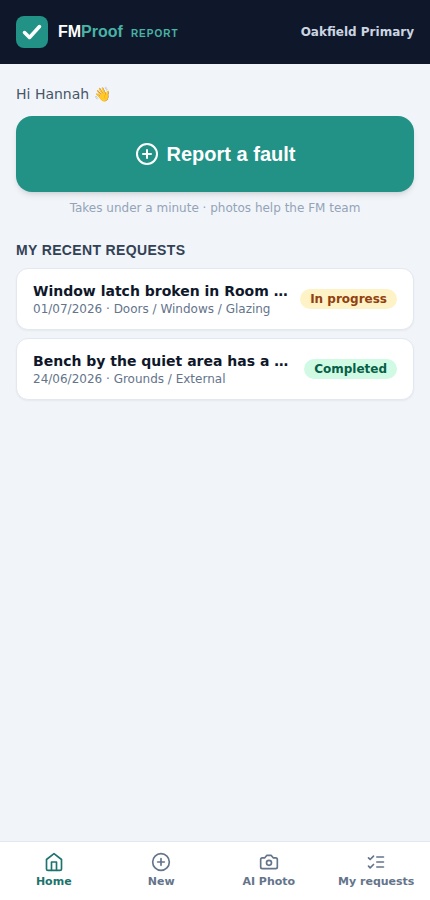
In your Microsoft 365, not our cloud
EstateProof runs inside the trust's own Microsoft 365 tenant. Every work order, inspection, certificate and photo is written to your SharePoint, governed by your security and retention rules, and staff at every school sign in with the accounts they already use for everything else, no new licences, no password resets for 600 people. External trustees and governors join as secure Microsoft guests at no per-user cost.
That architecture is also the exit clause you never have to negotiate: leave, and the records stay exactly where they always were, in your tenant, readable by your staff. We think that should be the default question trusts put to every estates vendor, and it's the first difference you'll see when you put us side by side with Every and iAM Compliant.
What does it cost a trust?
Published, per school per year, ex VAT, unlimited users, banded 1 to 3, 4 to 10 and 11+ schools: the 4 to 10 band is where most of our trusts sit.
Silver From £650 per site per year
FMProof: fault reporting, work orders, planned and statutory maintenance, the full compliance register with its certificate vault, site team app, contractor portal and the trust dashboard. Run the estate.
Gold From £1,150 per site per year
Adds InspectProof: digital inspections and checklists, AI email and photo triage, and the safety screen. Assurance on top of operations.
Platinum From £1,650 per site per year
Adds GovernanceProof: board packs, e-signed approvals and policy publishing, on the same records as the estate.
Per school per year, ex VAT, at the 11+ band; smaller estates pay more per school. Price your trust in 30 seconds, or see EstateProof configured for multi-academy trusts and schools.
Questions buyers actually ask
What is CAFM, and does an academy trust actually need it?
CAFM stands for computer-aided facilities management: software that runs buildings: fault reporting, work orders, planned and statutory maintenance, compliance evidence, contractors and assets. A single school can survive on spreadsheets; a trust accountable for several schools' statutory compliance rarely can, and the DfE's annual estate-management returns from autumn 2026 assume records a spreadsheet estate struggles to produce.
How does it work across schools: does the trust see everything?
Yes, and each school sees itself. Every school runs its own live queue of faults, jobs and planned maintenance; the trust dashboard assembles the whole estate from the same records in real time. Nobody submits returns to the centre: the rollup is a window onto work that's already recorded.
What happens when a new school joins the trust?
Configuration, not a project. The school is added as a site, its staff sign in with their existing Microsoft accounts, its data (sites, assets, contractors, open jobs) loads through the built-in import tools, and the trust dashboard picks it up immediately. Pricing moves along the per-school bands rather than triggering a renegotiation.
Can governors and external trustees use it?
Read-only governance views are built for exactly that. External members join as secure Microsoft guests, no licence cost, and the governors' report compiles itself from live estate data rather than last term's spreadsheet.
What does CAFM cost for a multi-academy trust?
EstateProof is published at three tiers (from £650, £1,150 and £1,650 per school per year ex VAT), with banded pricing at 1 to 3, 4 to 10 and 11+ schools, so the per-school rate falls as the trust grows. All tiers include unlimited users across every school.
See your whole trust on one screen
Thirty minutes, no hard sell: EstateProof running inside a Microsoft 365 just like yours, with the trust dashboard live. Or click around the demo right now, no sign-in needed. Call 020 4558 7729 or email info@estateproof.co.uk.