School compliance software: what it must cover and how to choose it
School compliance software tracks the statutory duties a school owes on its buildings (fire, gas, electrical, asbestos, water), schedules the checks before they fall due, and keeps the evidence that proves each one was done.
This page sets out what a good system has to cover, the legal basis behind each duty, and the questions to ask before you sign, including the one most buyers skip: where your records will live.
One live register instead of nine spreadsheets
Most schools already do the work. The certificates exist, in the site manager's filing cabinet, a contractor's portal, three inboxes and a spreadsheet last saved in April. When a governor, an auditor or a fire officer asks "show me", the evidence takes days to assemble, and the gaps only surface under questioning.
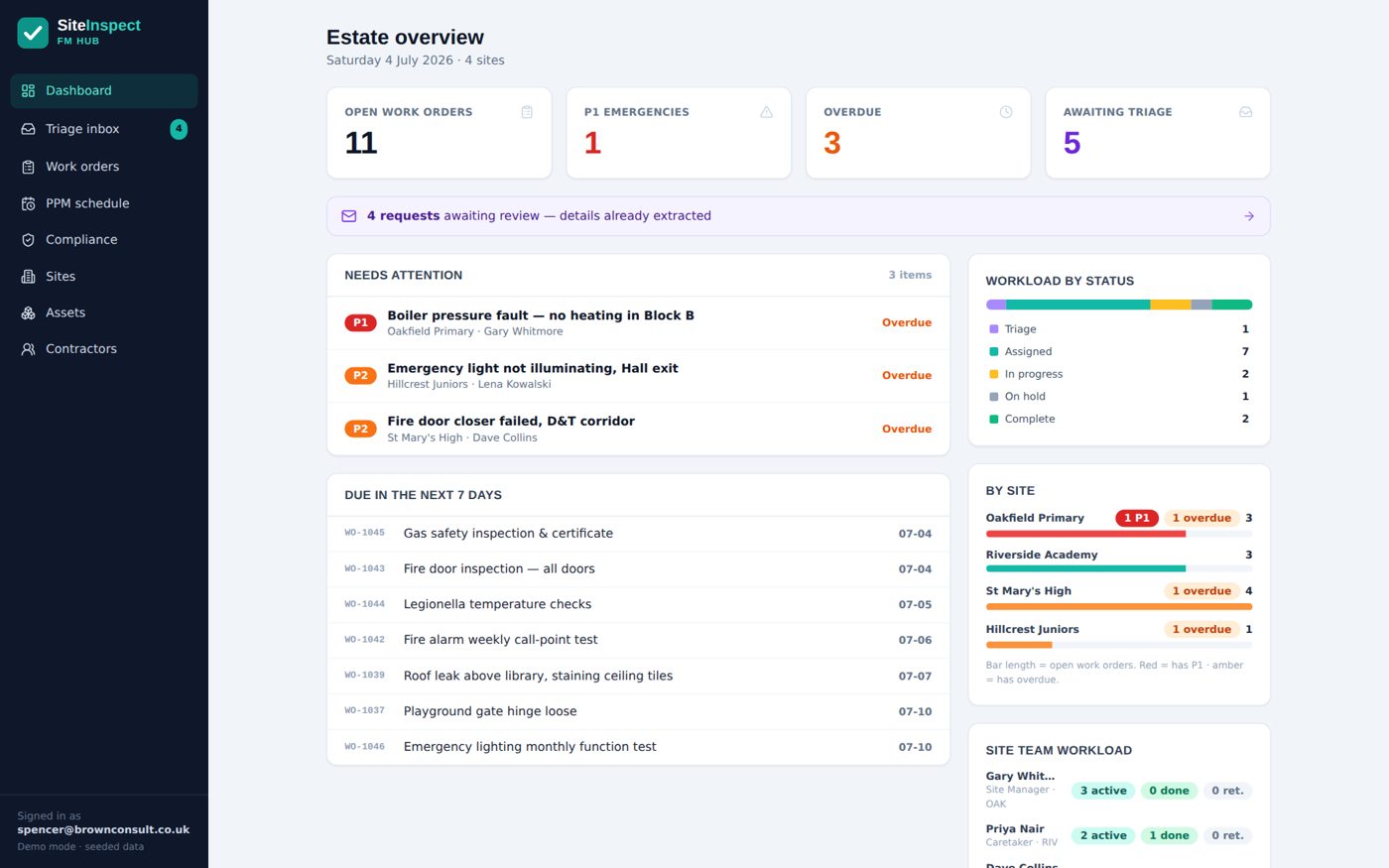
A compliance system replaces that with a single register: every duty, its frequency, its next due date, who is responsible, and the evidence attached to each completed check. The useful ones go further: a failed fire door check automatically becomes a tracked job with a photo and a priority, rather than a note that dies in someone's notebook.
The test of a good system is not the dashboard. It is whether, eighteen months in, the records are still being kept, which depends entirely on whether the people doing the checks find it quicker than paper.
The statutory duties any system must track
For a school in England, these are the recurring duties on the buildings themselves. If a system cannot hold this schedule, with the evidence for each line, it is a to-do list, not a compliance tool.
| Duty | How often | Legal basis |
|---|---|---|
| Fire risk assessment | Kept under regular review and revisited after any significant change; an annual review is standard practice | Regulatory Reform (Fire Safety) Order 2005 |
| Fire door inspection | Six-monthly by a competent person (BS 9999 recommendation); many schools add weekly walk-checks on escape routes | RRO 2005, Article 17 (maintenance of fire safety measures) |
| Fire alarm test | Weekly call-point test, rotating call points; periodic servicing by a competent person | BS 5839-1, supporting RRO 2005 duties |
| Emergency lighting | Monthly function test; annual full-duration test | BS 5266-1, supporting RRO 2005 duties |
| Fixed electrical installation (EICR) | Five-yearly inspection and test is the accepted standard for schools | BS 7671; Electricity at Work Regulations 1989 |
| Portable appliance testing (PAT) | Risk-based: typically annual for classroom, kitchen and workshop equipment | Electricity at Work Regulations 1989 |
| Gas appliances and pipework | Annual service and safety check by a Gas Safe registered engineer | Gas Safety (Installation and Use) Regulations 1998 |
| Asbestos management | Management plan kept live; known materials re-inspected, typically annually | Control of Asbestos Regulations 2012, Regulation 4 (duty to manage) |
| Legionella and water hygiene | Risk assessment kept under review; monthly temperature monitoring and a written control schedule | ACOP L8 and HSG274 Part 2 |
| Lifts and lifting equipment | Thorough examination six-monthly for equipment that lifts people, twelve-monthly otherwise | Lifting Operations and Lifting Equipment Regulations 1998 (LOLER) |
This table covers the recurring building duties, not everything a school must manage: playground equipment, boiler pressure systems and ventilation carry their own regimes. Want it on the site office wall? The whole schedule is a free printable checklist. For the full year mapped out month by month, use our free printable school compliance calendar, and if fire doors are your immediate headache, the fire door calculator will put numbers on the inspection workload. Weighing up the wider category: work orders and planned maintenance as well as compliance? Read the companion guide to estates management software for schools, go deep on the fire regime in fire safety inspection software, or see the cross-sector view in statutory compliance software.
How to choose school compliance software
Eight questions that separate systems that still work in year two from systems that become another spreadsheet.
Is the statutory schedule built in?
You should not have to construct fire, gas, electrical, asbestos and water regimes from blank templates. The frequencies in the table above should exist on day one.
Does a failed check become an action automatically?
An inspection that ends in a PDF is half a system. A failed item should turn into a tracked job (with a photo, a priority and an owner), without anyone re-typing it.
Does evidence attach itself?
Certificates, photos, timestamps and the name of whoever signed off should land on the record at the point of work, not in a follow-up admin session that never happens.
Can the site team use it on a phone, offline?
Boiler rooms and basements have no signal. If the person doing the check has to transcribe from paper afterwards, the record-keeping will stop by half term.
Are users unlimited?
Compliance improves when every member of staff can report the propped-open fire door. Per-seat pricing discourages exactly the behaviour you are buying the system to encourage.
Where does your data live, and what happens when you leave?
Ask for the answer in writing. If the records sit in the vendor's cloud, your leverage at every renewal is the cost of losing your own compliance history.
Is the pricing published?
A vendor who hides pricing behind "request a quote" is telling you the price depends on what they think you will pay. Published pricing lets you budget before the sales call.
Does it roll up across a trust?
If you run more than one school, each site needs its own workload and the centre needs one live view, not a termly copy-and-paste exercise from each site manager.
Not sure where your own gaps are? Take the free three-minute compliance assessment: fifteen questions, scored on the spot.
The lock-in problem nobody mentions in the demo
Almost every compliance product on the market stores your records in the vendor's own cloud. That seems harmless in year one. In year four, when the renewal price rises, your entire compliance history (every inspection, certificate and audit trail your school is legally required to keep) is the thing you would lose by walking away. Some vendors will sell you an export; few exports are usable; none of them keep your evidence in a format your staff can actually open and search.
EstateProof is built the other way round. It runs inside your school's own Microsoft 365, and every record is written into your own SharePoint, on your tenant. Your IT team grants consent once and can revoke it at any time. If you leave, there is no export to negotiate: the records were always yours, and they stay natively readable in the SharePoint your staff already use.
That changes the renewal conversation permanently: we have to earn the subscription every year, because leaving costs you nothing but the software. Whichever system you buy, ask the vendor to match that in writing. How they answer tells you most of what you need to know, and it is the first thing to compare when you put us side by side with Every and iAM Compliant.
What does it cost?
Most of this market hides pricing behind a quote form. Ours is published: three cumulative packages, per site per year, ex VAT, unlimited users, with bands for 1 to 3, 4 to 10 and 11+ sites.
Silver From £650 per site per year
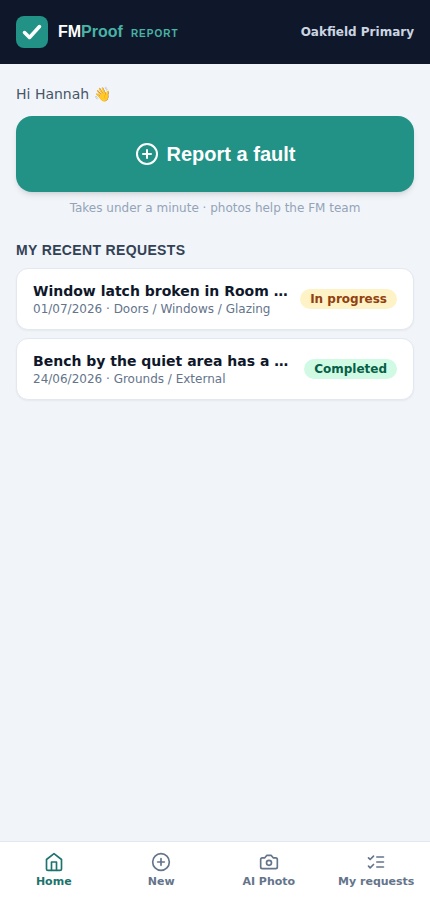
FMProof: fault reporting, work orders, planned and statutory maintenance, site team app, contractor portal and leadership dashboard.
Gold From £1,150 per site per year
Adds InspectProof: digital inspections and checklists, AI email and photo triage, and the safety screen. The tier most schools buying for compliance choose.
Platinum From £1,650 per site per year
Adds GovernanceProof: board packs, e-signed approvals and policy publishing, for trusts that want governance on the same records as the estate.
Per site per year, ex VAT, at the 11+ site band; smaller estates pay more per site. Price your estate in 30 seconds: the calculator shows your exact figure next to comparable Every and iAM Compliant quotes. Schools and trusts are our home ground: see EstateProof for multi-academy trusts and schools.
Questions buyers actually ask
How much does school compliance software cost?
Published prices in this market are rare, but ours are on the pricing page: EstateProof starts from £650 per site per year ex VAT for Silver (FMProof), £1,150 for Gold (adding InspectProof) and £1,650 for Platinum (adding GovernanceProof), depending on estate size. All tiers include unlimited users, so every member of staff can report a fault without a per-seat licence.
Will inspectors and auditors accept digital compliance records?
Yes. Neither the Regulatory Reform (Fire Safety) Order 2005 nor HSE guidance prescribes a format for records: what matters is that they are complete, dated, attributable and retrievable on demand. A digital record with a timestamp, a photo and a named signatory is stronger evidence than a paper sheet, provided you can produce it when asked.
What happens to our compliance records if we stop using EstateProof?
You keep everything. EstateProof writes every work order, inspection record, photo and certificate into your school's own SharePoint, in your own Microsoft 365 tenant. If you leave, nothing is exported or handed back: it was never anywhere else, and it stays natively readable by your staff in the tools they already use.
Does compliance software replace our contractors and competent persons?
No. A gas engineer must still service your boilers annually and an electrician must still test the fixed installation. The software's job is to schedule those visits before they fall due, chase what slips, capture the certificate when the work is done, and turn any defect into a tracked action, so nothing depends on one person remembering.
Does it work across a multi-academy trust with several schools?
Yes. Each school runs its own reporting, maintenance and inspection workload, and the trust sees a live rollup across every site: statutory compliance, overdue actions and contractor cover on one dashboard. Pricing is per site per year with bands for 1 to 3, 4 to 10 and 11+ sites, so larger trusts pay a lower rate per school.
See it running on a school estate
Thirty minutes, no hard sell: EstateProof running inside a Microsoft 365 just like yours. Or click around the live demo right now, no sign-in needed. Call 020 4558 7729 or email info@estateproof.co.uk.