Estates management software for schools: what it needs to do now
Estates management software gives a school or trust one system for the whole estate: faults reported and fixed, planned maintenance scheduled and evidenced, compliance tracked, contractors chased, and the condition of every building visible to the people accountable for it. Until recently, how you ran all that was your own business. With the DfE's School Estate Management Standards now in place and annual returns against them starting in autumn 2026, it no longer is. This guide covers what the category has to do, how the standards map onto day-to-day estates work, and what to ask any supplier before you sign, including us.
From firefighting to a managed estate
The DfE's standards, published in June 2025, draw a line the sector has been edging towards for years: reactive-only maintenance is no longer considered adequate practice. Fully effective estate management, as the framework defines it, means forward maintenance planning, works prioritised by condition and risk, and records a governor or inspector can be shown without a week of preparation. The Education Estates Strategy that followed put a date on it: light-touch self-assessment returns against the standards begin in autumn 2026, and the DfE has said the results will inform its oversight.
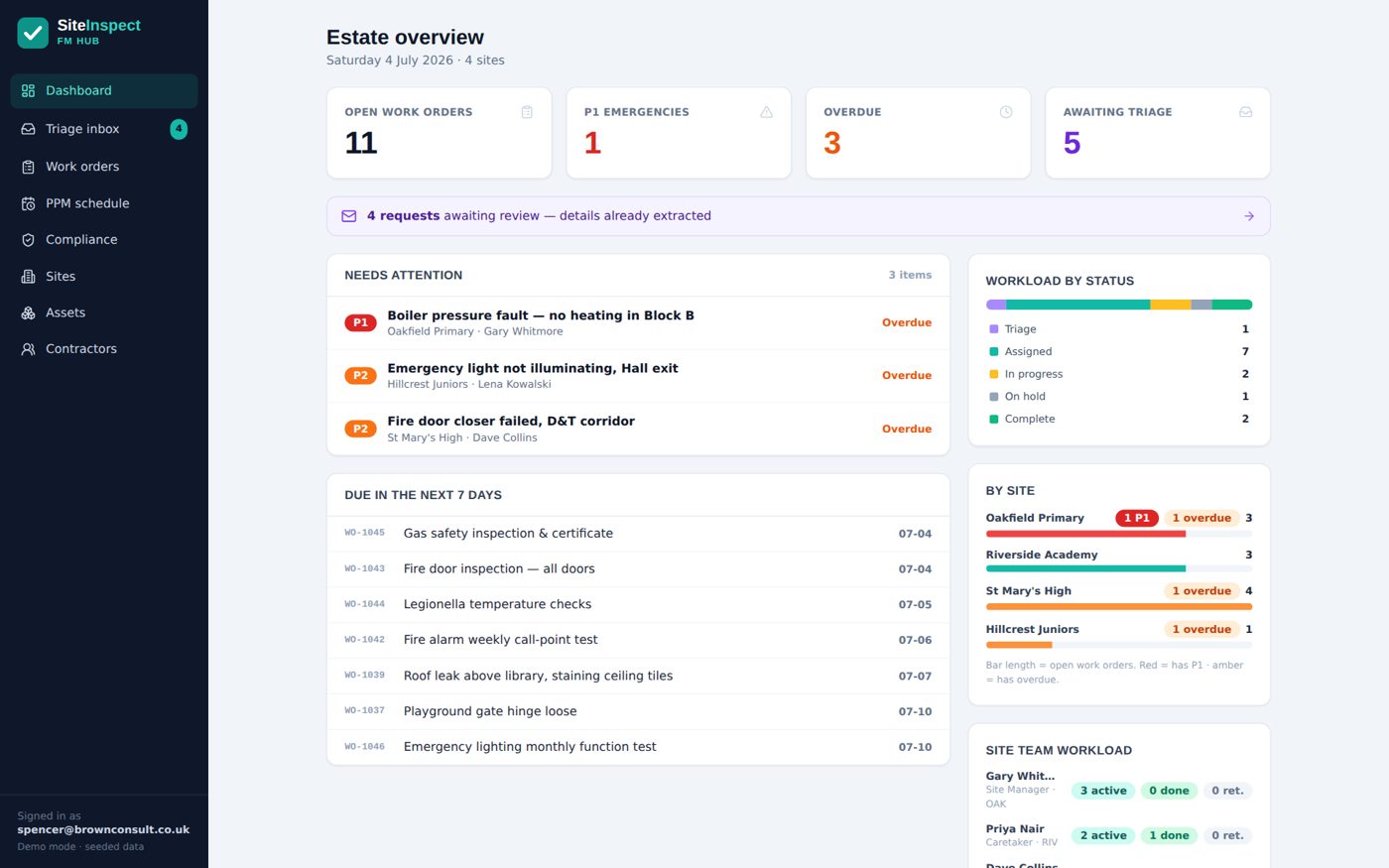
If the honest picture of your estate currently lives across a caretaker's notebook, a shared inbox, four spreadsheets and a filing cabinet, the return is not the real problem, the fragmentation is. In practice, four things have to live in one system: reactive work, so a fault reported by any member of staff becomes a job with a priority, an owner and a photo trail: followed end to end in our school maintenance management software guide; planned maintenance, with every recurring task rolling forward automatically when the work is done: the full mechanics are in our planned maintenance software guide; statutory compliance, covered line by line in our guide to what school compliance software must cover; and asset and condition data: what you own, where it is, and what state it is in.
A system that does only one of these is a point solution. You will still be reconciling it against everything else when the return comes round.
What the DfE standards expect, and what the system must do about it
The School Estate Management Standards run from strategic planning through maintenance, health and safety, fire, asbestos and water hygiene. Strip out the policy language and each expectation lands on the software as a concrete requirement.
| What the standards expect | So the system must |
|---|---|
| Forward maintenance planning, not reactive-only | A PPM schedule with frequencies, owners and automatic roll-forward when work completes |
| Works prioritised by condition and risk | Priority levels with target dates, and overdue work impossible to miss |
| Accurate asset registers | An asset list per site, linked to the jobs and inspections raised against each asset |
| Current statutory compliance records | A compliance register with certificates and evidence attached at the point of work |
| Estate risks reported regularly to the board | A live dashboard and a governors' report that compiles itself from the same records |
| Documented progress for governors, trustees and inspectors | A full audit trail on every job, check and certificate: timestamped and attributable |
| Annual self-assessment returns from autumn 2026 | A live compliance register with certificates vaulted against each duty, so the return starts from your evidence rather than a blank form |
None of this requires the software to be complicated. It requires it to be used, which is why adoption by site teams matters more than any feature list, and why the cost of staying reactive is worth putting a number on before you decide the status quo is free.
How to choose estates management software for a school or trust
Eight questions that separate systems that work on a school site from systems that demo well.
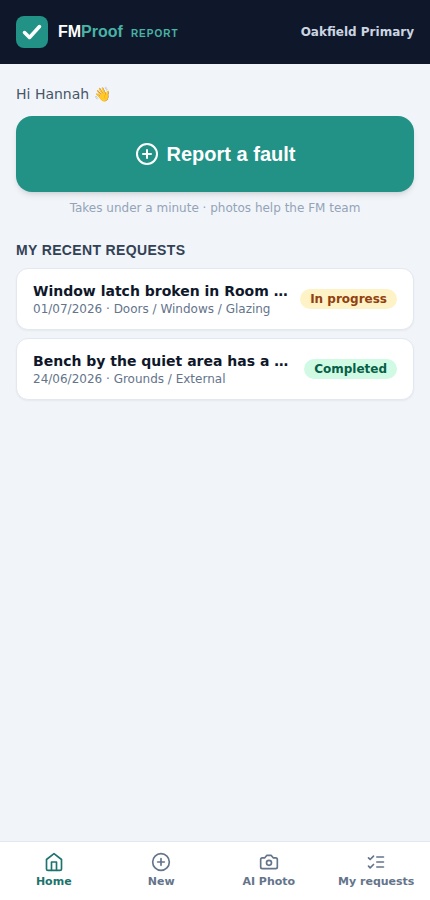
Can any member of staff report a fault in under a minute, from a phone, without training?
If reporting is hard, faults stay verbal, and a system nobody feeds is a system that lies.
Do caretakers get a simple job list they will actually use?
Site teams are the heartbeat of the record. If they are double-keying into a clunky portal, the entries stop within a term.
Does the PPM schedule roll forward on completion?
Or does somebody rebuild it every September? Frequencies (termly, annual, five-yearly) should regenerate the next job the moment the last one closes.
Are contractors chased automatically?
Reminders before a service falls due, escalation when it slips, and insurance or DBS renewals requested without anyone remembering to ask.
Does evidence attach at the point of work?
Photos, certificates and sign-offs should land on the job itself, not in a folder someone promises to sort out later.
Can the trust see every school on one screen?
A live multi-site rollup is the difference between estates management and site-by-site guesswork stapled together each term. Trusts have a whole set of extra questions: covered in our guide to academy trust CAFM.
Where does your data live, and what happens when you leave?
If the answer is the vendor's cloud, ask what an exit looks like in writing. If it is your own Microsoft 365 tenant, the question answers itself.
Is the pricing published?
If you cannot budget before the sales call, the price is whatever they think you will pay.
Want the statutory half of the picture in the same detail? Read the companion guide: school compliance software, duty by duty.
Your estate's history should not be a hostage
Years of work orders, condition data, certificates and audit trails are exactly what the annual return, the next condition survey and the next funding bid draw on. Most systems hold all of it on the vendor's servers, which makes your own estate's memory the thing you forfeit if you ever switch supplier.
EstateProof runs inside your school's own Microsoft 365. Work orders, evidence and history are written into your SharePoint, under your governance, behind the security your IT team already runs. Staff sign in with the accounts they already have, so there are no new licences and no password list for the site office. And because the records were never anywhere else, leaving costs you nothing but the software: a test we think you should put to every vendor on your shortlist, in writing. See how the answers compare when you put us side by side with Every and iAM Compliant.
What does it cost?
Published, so you can budget before anyone rings you: three cumulative packages, per site per year, ex VAT, unlimited users, with bands for 1 to 3, 4 to 10 and 11+ sites.
Silver From £650 per site per year
FMProof: fault reporting, work orders, planned and statutory maintenance, site team app, contractor portal and leadership dashboard. Run the estate.
Gold From £1,150 per site per year
Adds InspectProof: digital inspections and checklists, AI email and photo triage, and the safety screen. Assurance on top of operations.
Platinum From £1,650 per site per year
Adds GovernanceProof: board packs, e-signed approvals and policy publishing, for trusts that want governance on the same records as the estate.
Per site per year, ex VAT, at the 11+ site band; smaller estates pay more per site. Price your estate in 30 seconds, or see what EstateProof looks like configured for multi-academy trusts and schools.
Questions buyers actually ask
What is estates management software for schools?
One system for the whole life of a school estate: faults reported and fixed, planned and statutory maintenance scheduled and evidenced, contractors instructed and chased, asset and condition data kept current, and reporting for leaders and governors. It replaces the spreadsheet-and-inbox approach that the DfE's School Estate Management Standards now effectively rule out.
Do we have to comply with the School Estate Management Standards?
The standards are a framework rather than a statute, but the DfE has said annual self-assessment returns against them begin in autumn 2026, and that the results will inform its oversight of responsible bodies. The clear expectation is that every school reaches at least the "fully effective" level, and doing that without a system means assembling the evidence by hand every year.
How is this different from school compliance software?
Compliance software tracks statutory duties and the evidence behind them. Estates management software includes that and the rest of the estate's daily life: fault reporting, work orders, planned maintenance, contractors, assets and condition data. EstateProof does both in one platform, so the compliance register and the maintenance work sit on the same records.
Will it work for a multi-academy trust?
Yes: that is the design case. Each school runs its own day-to-day workload, and the trust sees a live rollup of every site: open jobs, overdue maintenance, statutory compliance and contractor cover on one dashboard. Pricing is per site per year with bands for 1 to 3, 4 to 10 and 11+ sites, so larger trusts pay a lower rate per school.
How long does it take to set up?
Days rather than months. EstateProof provisions into your existing Microsoft 365 tenant: there is no server to procure and no new accounts to create, because staff sign in with the Microsoft accounts they already have. If you want your history brought across, the built-in import tools load sites, assets, contractors and open jobs from spreadsheets.
See it running on a school estate
Thirty minutes, no hard sell: EstateProof running inside a Microsoft 365 just like yours. Or click around the live demo right now, no sign-in needed. Call 020 4558 7729 or email info@estateproof.co.uk.