A building inspection app that finishes the job
Most building inspections die twice.
Once on the clipboard: scribbled findings that get typed up later, or don't. And once in the report: a PDF that records the broken door closer beautifully and does nothing about it. A building inspection app worth buying kills both failures at the point of work: the checklist is on the phone, the photo attaches itself to the item, and anything that fails becomes a tracked job, with a priority and an owner, before you've left the corridor. This guide covers what the category must do, the inspection types one app should carry across a school or multi-site estate, and the questions that separate inspection apps from clipboard replacements.
The clipboard's three failures
Paper inspections fail in the same three places everywhere. Transcription: the walk happens, then the findings wait for someone to type them up: a job that slides down every to-do list until the record is days adrift from reality, or never made at all. Evidence: "door damaged" on a sheet is an opinion; a timestamped photo of the split frame is evidence, and paper can't hold photos. The dead end: even a beautifully filed report doesn't fix anything. The finding has to be re-entered into whatever system handles repairs, and every re-keying is a chance for it to vanish.
An inspection app collapses all three into the moment of the check. In InspectProof, EstateProof's inspection module, the checklist is on the phone; each item is a tap (compliant, "no, raise an action", or N/A); the photo lands on the item; and a failed item becomes a work order in the same system your site team and contractors already work from. No transcription, no separate repair pipeline, nothing to remember.
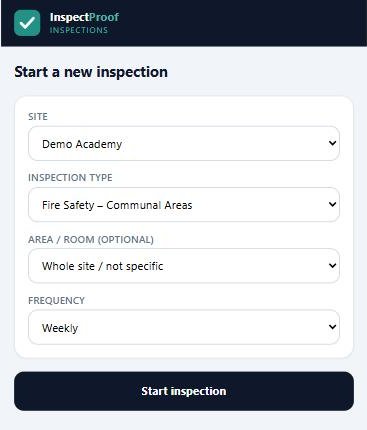
One app, every walk
The recurring inspections a school or multi-site estate actually runs, and the only column that matters, which is what happens when something fails.
| Inspection | Typical rhythm | A failure becomes |
|---|---|---|
| Fire safety walk: exits, doors, panel | Weekly | A prioritised job with photo, on the fire evidence trail |
| Health & safety walk (see the school H&S guide) | Monthly or termly | An actioned defect with an owner and a target date |
| Water temperature checks | Monthly | Reading logged; out-of-range flagged for action |
| Playground equipment check | Weekly | Equipment out of use and a repair job raised |
| Fire door route checks | Between six-monthly competent-person inspections | A per-door defect with photo, contractor assigned |
| Condition / defect walk | Periodic | Defects feeding the maintenance plan |
If your current process can't say what happens after a failure (automatically, every time), the inspections are documentation, not management. Fire deserves its own page: see our guide to fire safety inspection software.
How to choose a building inspection app
Eight questions that separate inspection apps from clipboard replacements.
Does a failed item become a job automatically?
In the same system your site team and contractors use, not an export, not an email, not a second entry.
Is the photo attached to the item, at the moment of the check?
Evidence captured later is evidence disputed.
Do the checklists exist on day one?
Fire walks, H&S, water, playground: seeded and configured to your estate at onboarding, not built from a blank template editor you'll never open.
Will it survive a basement?
Phones lose signal in plant rooms and stairwells. Ask the vendor exactly what happens to a half-done inspection when the connection drops, and get the answer in writing.
Can every walk-type live in one app?
A fire app plus an H&S app plus a water log is three logins, three evidence trails and three renewals.
Are users unlimited?
The best inspection regime spreads the walks across the team. Per-seat pricing concentrates them on one person, and on one person's absence.
Is the record inspection-grade?
Timestamped, attributed, retrievable by date and building: the standard an auditor, insurer or fire officer applies.
Where does the data live?
EstateProof writes every inspection, photo and action into your own Microsoft 365 tenant. Whoever you buy from, make them answer that question in writing.
From the walk to the dashboard
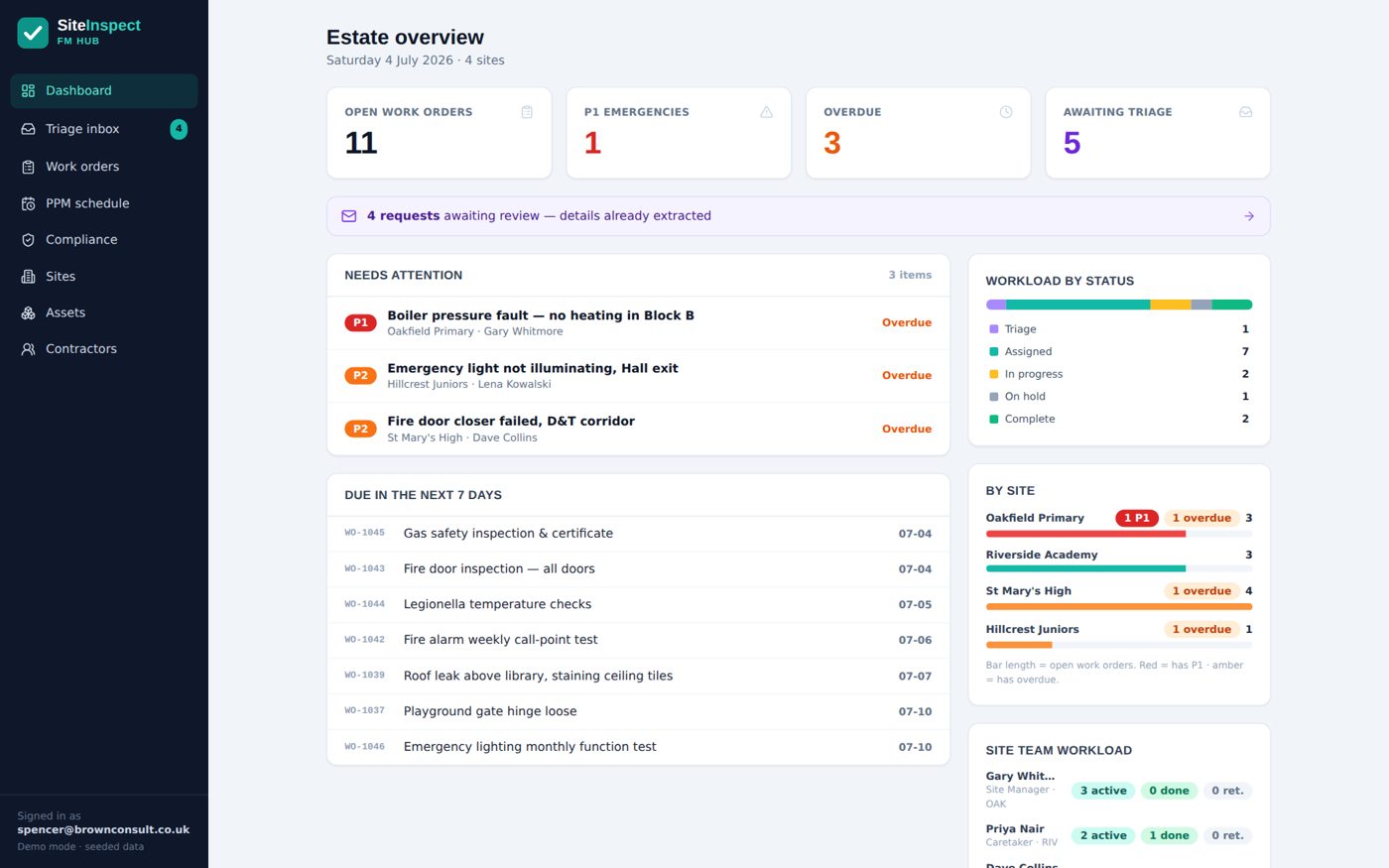
An inspection app shouldn't be an island. The failed fire door raised on Tuesday's walk appears on the site team's job list, on the FM's dashboard, and, across a trust, in the leadership rollup, without anyone forwarding anything. When the job closes, the completion photos and sign-off sit on the same record as the inspection that raised it: the full loop, from defect to done, in one place.
That's the difference between inspecting the estate and merely photographing it, and it's why inspections belong inside the wider system rather than beside it. For the whole-estate picture, see our guides to estates management software for schools and, for multi-school estates, academy trust CAFM.
What does it cost?
Published, per site per year, ex VAT, unlimited users, banded 1 to 3, 4 to 10 and 11+ sites. Digital inspections are a Gold feature; Silver runs the fault reporting and maintenance underneath them.
Silver From £650 per site per year
FMProof: fault reporting, work orders, planned and statutory maintenance, site team app, contractor portal and leadership dashboard.
Gold From £1,150 per site per year
Adds InspectProof: the digital inspection walks, failed-check-to-job automation, AI email and photo triage, and the safety screen. The tier this page is about.
Platinum From £1,650 per site per year
Adds GovernanceProof: board packs, e-signed approvals and policy publishing, on the same records as the estate.
Per site per year, ex VAT, at the 11+ band; smaller estates pay more per site. Price your estate in 30 seconds, or see EstateProof configured for multi-academy trusts and schools.
Questions buyers actually ask
What is a building inspection app?
A phone-based replacement for clipboard inspections: digital checklists for the recurring walks a building needs (fire, health and safety, water hygiene, playground, condition), with photo evidence captured per item and, in the good ones, failed items raised automatically as jobs in the same system that manages repairs.
Do we need to install anything?
EstateProof runs in the browser, on phones and inside Microsoft Teams, with staff signing in through the Microsoft accounts they already have. There's no app store rollout, no device-management project and no password list for the site office.
Can we use our own checklists?
The standard walks (fire, health and safety, water temperatures, playground, fire doors) come seeded and are configured to your estate during onboarding, so day one isn't a blank template editor. Checklists are held as data rather than code, which is what lets them be tailored per site.
What happens to a failed item?
It becomes a work order at the moment you record it: photo attached, priority set, assigned to your site team or a contractor, visible on the dashboard until closed. Completion evidence lands on the same record, so the inspection, the defect and the fix read as one story.
What does a building inspection app cost?
Inspection apps are commonly priced per user, which punishes exactly the behaviour you want, more people doing more walks. EstateProof is priced per site with unlimited users: digital inspections come with Gold, from £1,150 per site per year ex VAT, banded so trusts of 4 to 10 and 11+ sites pay less per site.
Run an inspection in the live demo
Open the demo now and walk a checklist yourself, no sign-in needed. Or book thirty minutes and we'll show it on an estate like yours. Call 020 4558 7729 or email info@estateproof.co.uk.