Health and safety software for schools: the premises half, done properly
"Health and safety software" is really two products wearing one name.
One half is about people and process: accident books, incident investigation, staff training records, first-aid logs. The other half is about the building: the safety walks, the risk assessments on fabric and plant, the hazards staff spot in corridors, the asbestos plan, and the evidence that all of it is managed. Most schools need both halves, and are better served by tools that do their half well than by one system doing both badly. This page is about the premises half, which is where EstateProof lives. If you're mainly shopping for accident recording and RIDDOR reporting, your local authority or trust may already provide it: read on for the half that usually has no system at all.
Premises safety runs on four loops
The walk. Regular safety walks (the termly H&S inspection, the weekly playground check, fire route checks), done on a phone with a photo per item, and every failure raised as an action automatically. That's the difference between walks that generate improvement and walks that generate paper; the mechanics are in our building inspection app guide.
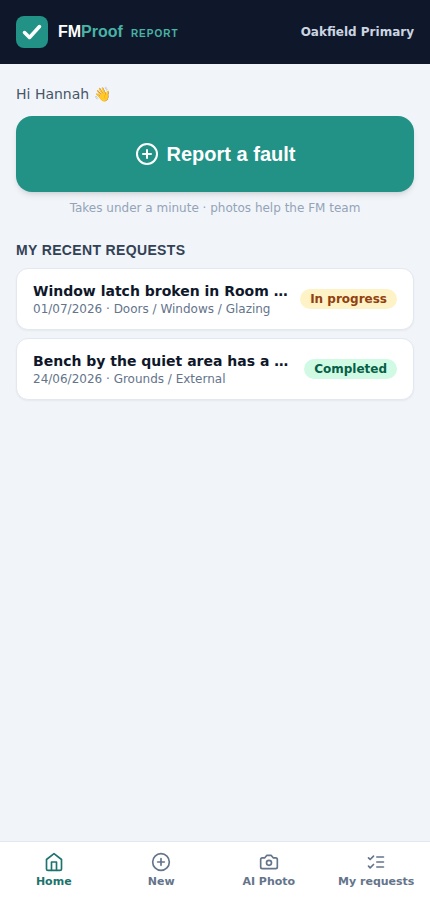
The hazard report. The trip hazard is spotted by whoever nearly trips. Any member of staff reports it in under a minute from their phone, photo attached, and it lands in the estates team's triage queue: prioritised, assigned, tracked to closure. Unlimited users is what makes this real: safety culture is everyone reporting, not one nominated person with the login.
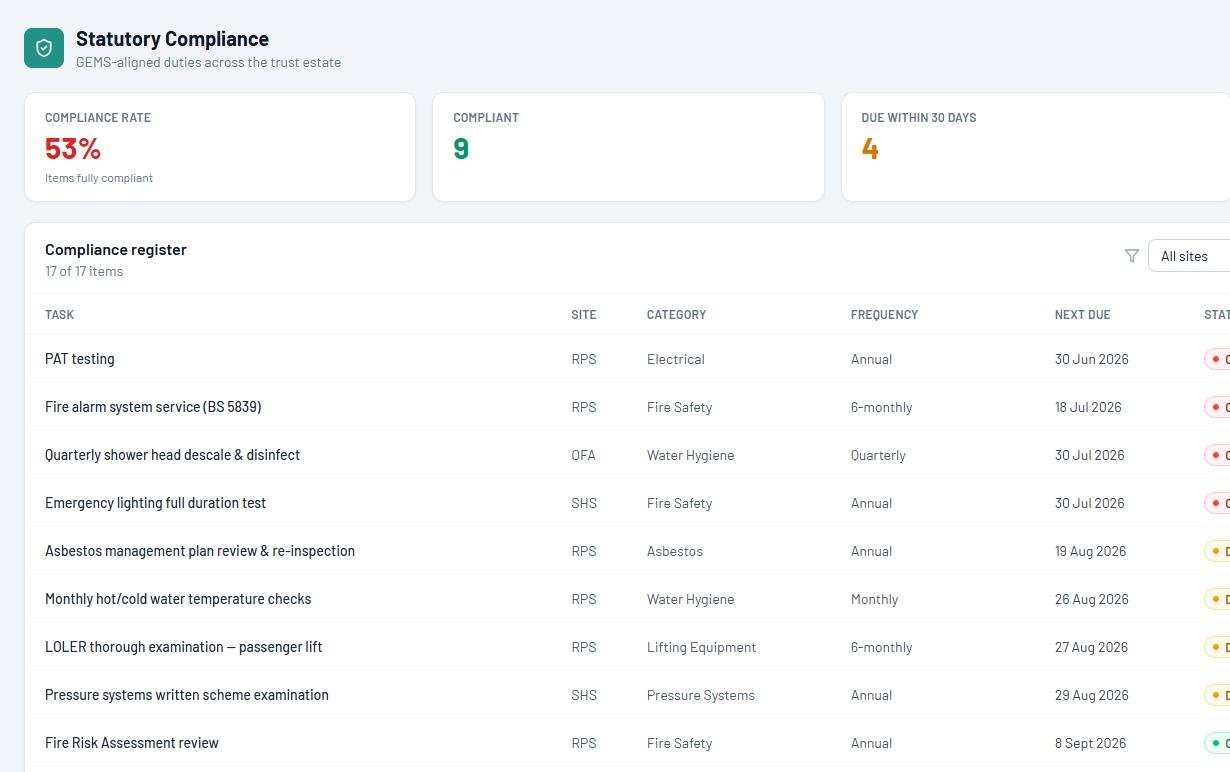
The register. The statutory duties underpinning premises safety (fire, asbestos, legionella, gas, electrical, lifting equipment), tracked with frequencies, due dates and named responsibility, with overdue impossible to miss. Duty-by-duty detail lives in our school compliance software guide.
The evidence. Every walk, report, action and completion sits on one timeline, attributed and dated, so the premises section of the governors' H&S report compiles from live records rather than a term of memory.
What belongs where
A vendor claiming every row of this table is telling you where their compromises live. The crosses below are deliberate.
| Need | Premises system (EstateProof) | People / process system |
|---|---|---|
| Safety walks & site inspections | Walks on a phone; failures become actions | Not needed |
| Hazard reporting by any member of staff | Under a minute, photo attached | Not needed |
| Statutory duties register (fire, asbestos, water and more) | Frequencies, evidence, ownership | Not needed |
| Risk assessments on premises & plant | Managed alongside the estate records | Policy-level assessments may sit with your H&S adviser |
| Accident book / incident reporting (RIDDOR) | Not what we do | Your LA, trust or H&S provider's system |
| Staff H&S training records | Not what we do | HR / training system |
| Governor & trust safety reporting | Premises evidence compiled from live data | Combined with people-side statistics at board level |
Not sure where your premises gaps are? The free three-minute compliance assessment scores them on the spot.
How to choose health and safety software for a school
Eight questions for the premises half.
Can every member of staff report a hazard?
Phone, under a minute, no training, or the hazards stay verbal and the system lies.
Does a failed check on a walk become a tracked action automatically?
A finding that has to be re-typed somewhere else is a finding that can vanish.
Is the photo attached at the moment of the walk?
Evidence captured later is evidence disputed.
Are the statutory premises duties in the same system as the walks?
If "H&S" is a silo beside "compliance", someone reconciles the two forever.
Does overdue safety work surface on the dashboard the head actually looks at?
Not in a report someone has to remember to run.
Can governors see the premises safety position without chasing anyone?
Read-only, live, and compiled from the records the work already created.
Does it work across a trust?
Every school's walks, hazards and actions in one leadership rollup: see our guide to academy trust CAFM.
Where does the data live?
Safety records are legal evidence. EstateProof keeps them in your own Microsoft 365 tenant: ask every vendor to match that in writing.
Governors ask "are we safe?"
The termly governors' question deserves better than "we think so". With walks, hazard reports, statutory duties and actions on one set of records, the answer arrives as evidence: what was checked, what was found, what was fixed, and what's overdue with a named owner. Across a trust, the leadership view rolls the same truth up per school, no compiling, no chasing site managers the week before the meeting.
For boards that want the estate on the agenda properly (packs, sign-offs and policies on the same records), that's GovernanceProof.
What does it cost?
Published, per site per year, ex VAT, unlimited users, banded 1 to 3, 4 to 10 and 11+ sites.
Silver From £650 per site per year
FMProof: hazard and fault reporting for all staff, work orders, statutory schedules, site team app, contractor portal and leadership dashboard.
Gold From £1,150 per site per year
Adds InspectProof: the safety walks, failed-check-to-action automation, AI triage and the safety screen. The tier this page is about.
Platinum From £1,650 per site per year
Adds GovernanceProof: board packs, e-signed approvals and policy publishing, on the same records as the estate.
Per site per year, ex VAT, at the 11+ band; smaller estates pay more per site. Price your estate in 30 seconds, or see EstateProof configured for multi-academy trusts and schools.
Questions buyers actually ask
What is health and safety software for schools?
Two categories share the name: people-and-process systems (accident books, incident reporting, training records) and premises systems (safety walks, hazard reporting, statutory duties, evidence). EstateProof is the premises half, the building-side safety work that usually has no system at all, and it's honest about not being an accident book.
Does EstateProof record accidents or RIDDOR reports?
No, deliberately. Accident and incident recording is a people-process with its own reporting chain, and most schools already have provision via their local authority, trust or health and safety adviser. EstateProof handles the premises side: the walks, hazards, statutory duties and fixes that prevent incidents in the first place.
How do safety walks work?
On a phone: the walk is a checklist (termly H&S walk, weekly playground check, fire route checks), each item a tap, each defect photographed, and every failure raised as a work order with a priority and owner before the walk ends. Walks live in the same system as the repairs, so nothing needs re-entering.
Can staff report hazards?
All of them: unlimited users is standard. A hazard report takes under a minute from a phone, photo attached, and lands in the estates team's triage queue alongside everything else, tracked to closure with the reporter able to see progress.
What does health and safety software cost for a school?
EstateProof starts from £650 per site per year ex VAT (Silver: hazard reporting, work orders, statutory schedules, dashboards). The safety walks and safety screen come with Gold from £1,150; Platinum from £1,650 adds governance packs. Unlimited users throughout, with bands at 1 to 3, 4 to 10 and 11+ sites.
See the premises half working
Thirty minutes, no hard sell: walks, hazards and the register on an estate like yours. Or open the live demo now, no sign-in needed. Call 020 4558 7729 or email info@estateproof.co.uk.