School facilities management software: the whole picture
Facilities management software for a school is one system carrying six jobs: faults reported and fixed, planned and statutory maintenance scheduled, inspections walked, contractors managed, compliance evidenced, and leaders and governors informed from live data. Most schools run those six jobs on six different things (a shared inbox, a spreadsheet, a paper day book, a contractor's promise, a filing cabinet and a termly report), which is why "are we on top of the estate?" is so hard to answer. This page maps the whole category, with a deeper guide behind each part, and the questions that matter across all of them.
Six jobs, one set of records
The six jobs aren't really separable. The fault a teacher reports becomes a job a caretaker starts and a contractor finishes; the inspection that fails raises the fault; the planned service produces the certificate the compliance register needs; and the governors' report draws on all of it. Split those across systems and someone spends their career reconciling them, which is why the useful question isn't "which module?" but "is it one set of records?"
In EstateProof, it is: work orders, schedules, inspections, contractors, evidence and reporting on one spine, inside the school's own Microsoft 365. Staff sign in with the accounts they already have. The DfE's School Estate Management Standards, with annual self-assessment returns from autumn 2026, assume exactly this kind of joined-up record, as our estates management guide sets out.
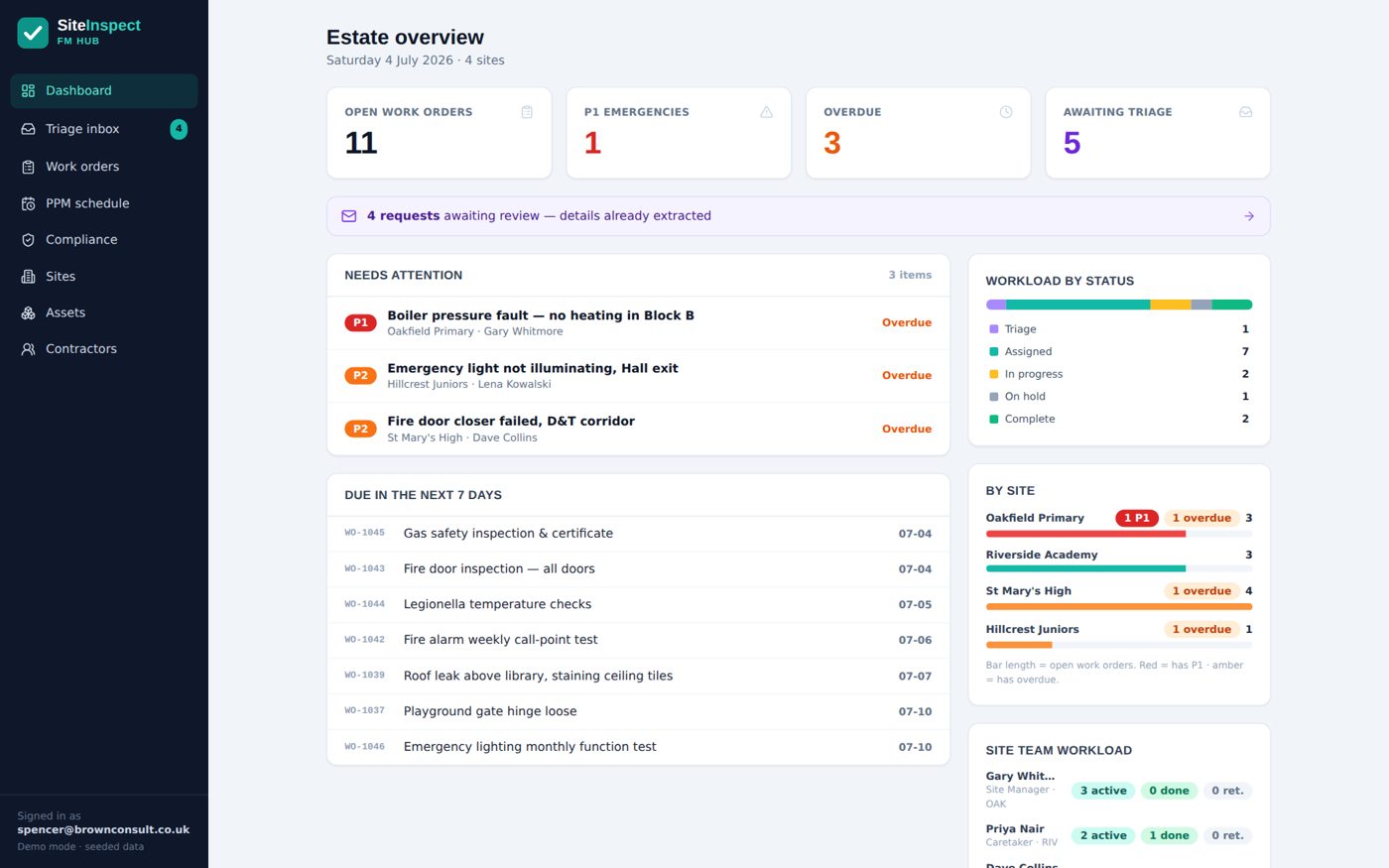
What FM software must cover, and where to go deeper
Each row is a job the system must do, with the guide that covers it properly.
| The job | What good looks like | The deep guide |
|---|---|---|
| Reactive maintenance | Staff report in under a minute; AI drafts jobs from emails; every step evidenced | School maintenance management software |
| Planned maintenance | Statutory frequencies seeded; jobs raised before due; schedule rolls itself forward | Planned maintenance software |
| Statutory compliance | Every duty with frequency, owner and evidence; overdue impossible to miss | School compliance software and cross-sector view |
| Inspections | Walks on a phone; photo per item; failures become jobs automatically | Building inspection app and fire safety |
| Premises health & safety | Safety walks, hazard reporting and the register: clearly scoped | H&S software for schools |
| Contractors | Insurance, DBS and accreditations chased automatically; magic-link updates | Contractor management software |
| Multi-school rollup | Central visibility with per-school accountability, live | Academy trust CAFM |
| Governance | Board packs, approvals and registers on the same records as the estate | Board portal for academy trusts |
The questions that cut across all of it
Eight questions that matter whichever corner of the category you enter from.
Is it one set of records?
Reactive, planned, compliance and inspections on one spine, or modules that need reconciling forever.
Will the site team actually use it?
Adoption beats features. If the caretaker's view isn't simpler than paper, the data stops within a term.
Can everyone report?
Unlimited users, so the whole staff room is your fault-detection network.
Does the system act, or just remind?
Jobs raised before due dates, contractors chased, failures becoming actions: automation, not a calendar.
Is the evidence audit-grade?
Timestamped, attributed, photographed, retrievable by date, for auditors, insurers, fire officers and the DfE's annual return.
Does it scale to a trust?
Per-school workload, central rollup, shared contractors, pricing that rewards growth.
Where does your data live?
EstateProof writes everything into your own Microsoft 365 tenant: leave, and it's all still yours. Make every vendor answer this in writing.
Is the pricing published?
Ours is, below and on the pricing page, with a calculator that shows your figure next to comparable quotes.
Want your gaps scored first? Take the free three-minute compliance assessment, or put us side by side with Every and iAM Compliant.
What does it cost?
Published, per site per year, ex VAT, unlimited users, banded 1 to 3, 4 to 10 and 11+ sites.
Silver From £650 per site per year
FMProof: fault reporting, work orders, planned and statutory maintenance, site team app, contractor portal and leadership dashboard. Run the estate.
Gold From £1,150 per site per year
Adds InspectProof: digital inspections and checklists, AI email and photo triage, and the safety screen. Assurance on top of operations.
Platinum From £1,650 per site per year
Adds GovernanceProof: board packs, e-signed approvals and policy publishing, for trusts that want governance on the same records as the estate.
Per site per year, ex VAT, at the 11+ band; smaller estates pay more per site. Price your estate in 30 seconds, or see EstateProof configured for multi-academy trusts and schools.
Questions buyers actually ask
What is school facilities management software?
One system for everything a school's buildings demand: faults reported and fixed, planned and statutory maintenance scheduled, inspections walked, contractors managed, compliance evidenced, and leaders and governors informed from live data. The alternative (a helpdesk here, a spreadsheet there, a filing cabinet somewhere) is what most schools are running today.
What's the difference between FM software and CAFM?
In practice, nothing a buyer should worry about: CAFM (computer-aided facilities management) is the industry's older name for the same category. The distinctions that actually matter are coverage (reactive plus planned plus compliance, or just one), adoption (will site teams actually use it) and data ownership (whose tenant holds your records).
Do we need all of it on day one?
No. A school is live with just its sites and a handful of contractors loaded: faults flow from day one, and assets, planned schedules and history can follow in the weeks after. The built-in import tools load each dataset from spreadsheets when you're ready.
Why does running inside Microsoft 365 matter?
Three reasons: staff sign in with accounts they already have, so adoption doesn't depend on new passwords; IT governs access with tools they already run; and every record lives in the school's own SharePoint, so your estate's history is never a hostage in a vendor's cloud at renewal time.
What does school facilities management software cost?
EstateProof publishes its prices: Silver from £650 per site per year ex VAT (the full FM core), Gold from £1,150 (adding digital inspections and AI triage) and Platinum from £1,650 (adding governance). Unlimited users at every tier, banded 1 to 3, 4 to 10 and 11+ sites.
See the whole picture on one screen
Thirty minutes, no hard sell: EstateProof running inside a Microsoft 365 just like yours. Or click around the live demo right now, no sign-in needed. Call 020 4558 7729 or email info@estateproof.co.uk.